


Importing & Sharing
How to import a recipe from a website
Paste a recipe URL and MyMealVault will pull the ingredients and instructions for you.
Most recipe websites work with Paste Recipe Link. Copy the recipe URL from your browser and MyMealVault will fetch the page and extract the recipe for you.
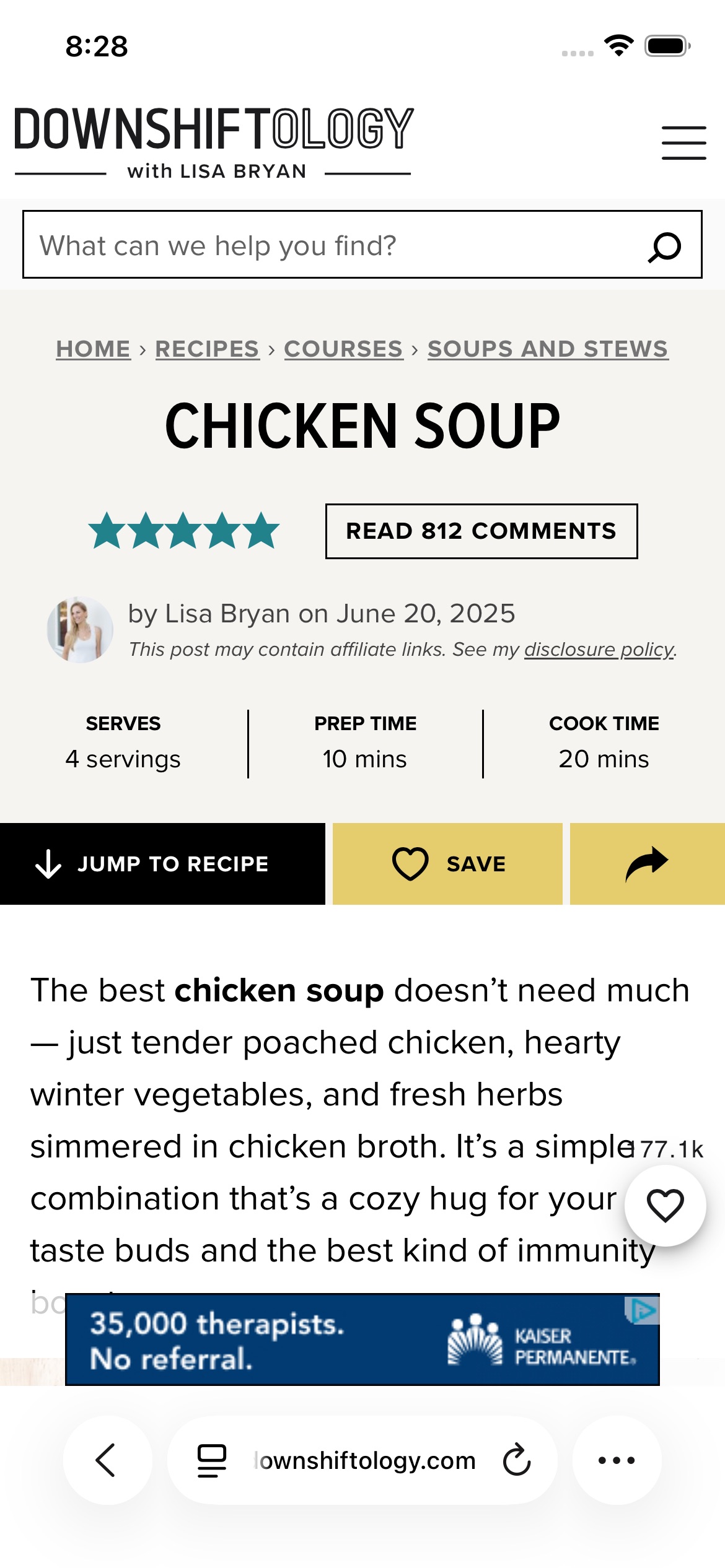
Open the recipe in Safari
Open the recipe page you want to save.Open the share sheet
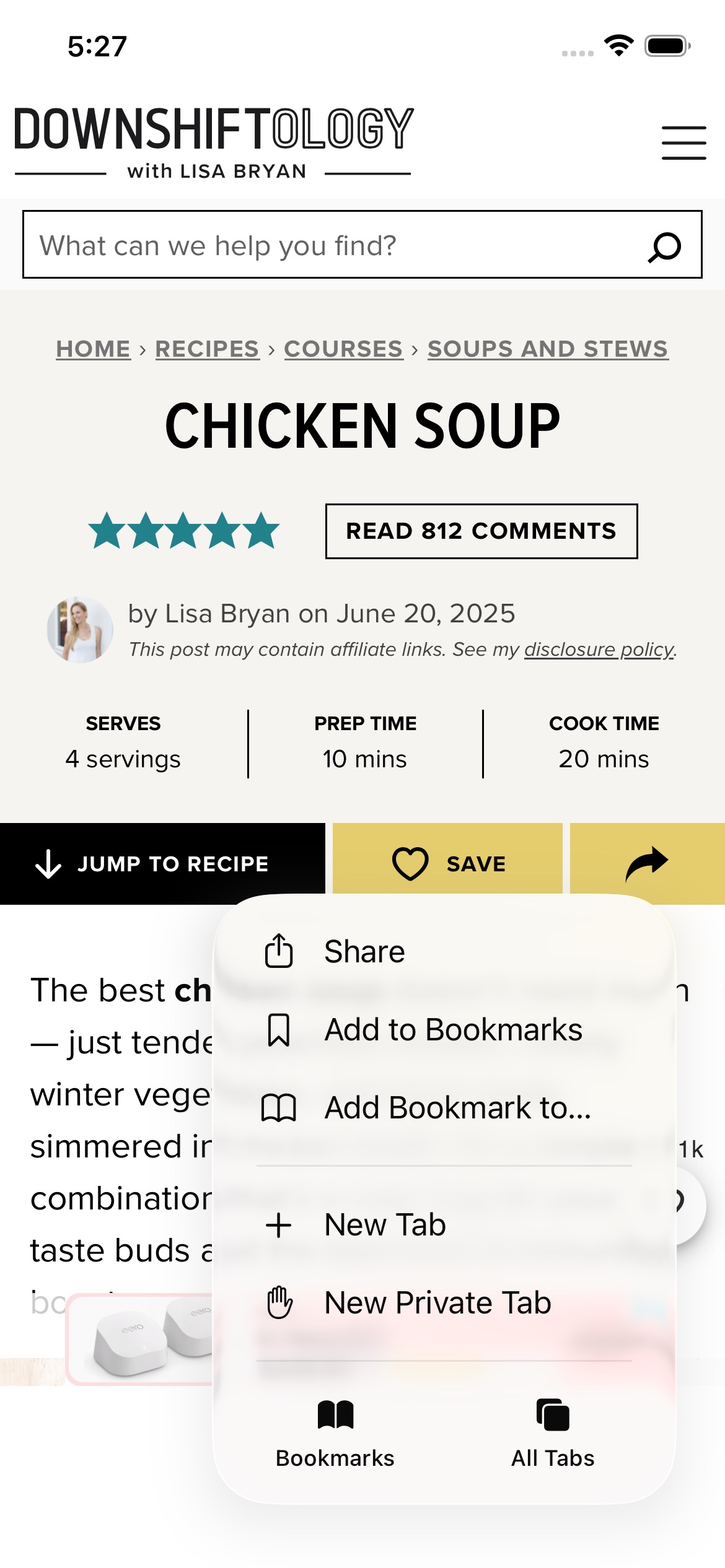
Tap the page actions button, then tap Share.Tap MyMealVault
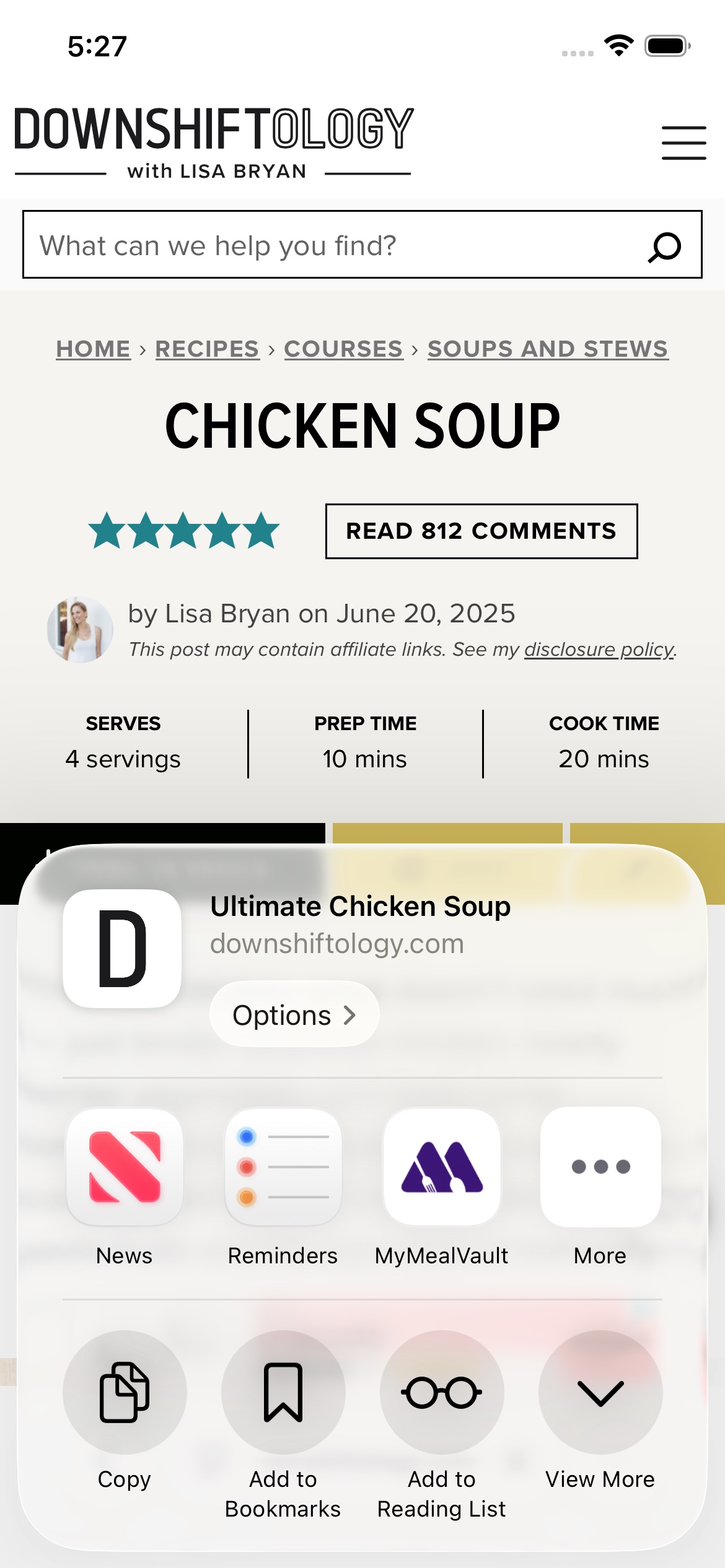
Choose MyMealVault from the share sheet. If you do not see it, scroll through the app options and add it to your favorites.Finish in MyMealVault
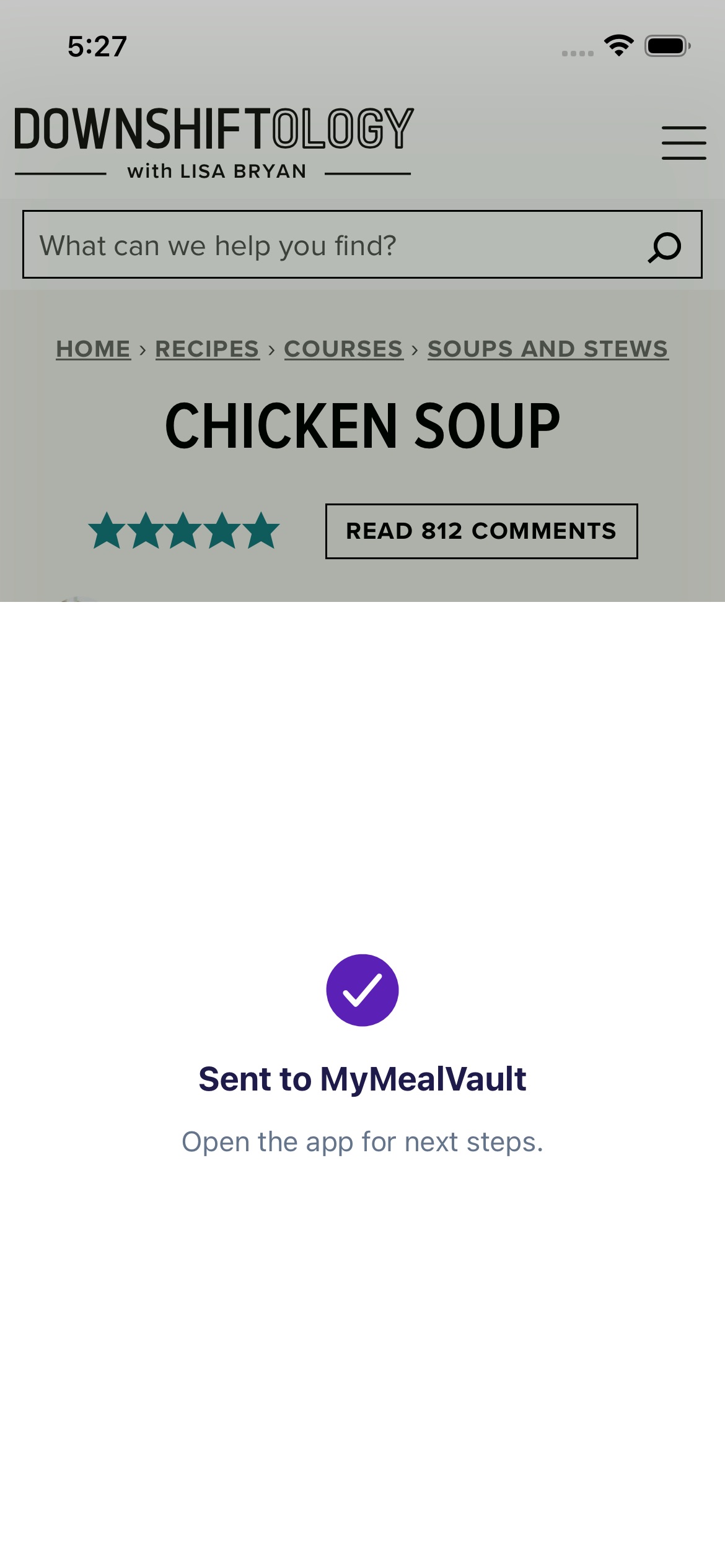
Open MyMealVault to review the import and save the recipe to your vault.
Import from Safari
Use the iPhone share sheet to send a recipe website straight to MyMealVault.
Related articles
Still need help?
If you could not find what you were looking for, reach out and we will get back to you.
Contact support